
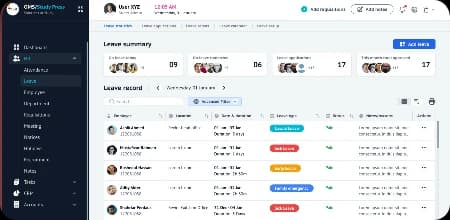





Every Guide, in Its Place.
Browse Vertex documentation by product and by category, from first setup to the settings administrators manage.

Product documentation
Select a Product to Continue.
Choose a Vertex product to open its setup guides, feature documentation, and settings reference.
- Vertex CRMLearn how to manage contacts, deals, pipelines, activities, reporting, and account settings.View Product Docs
- Vertex POSExplore setup, orders, payments, inventory, daily operations, and reporting.View Product Docs
- Vertex AccountingFind guidance for invoices, expenses, banking, reconciliation, and financial reporting.View Product Docs
- Vertex HRMLearn about employees, attendance, leave, payroll workflows, and workforce management.View Product Docs
- VertexHubExplore workflows, collaboration, files, shared information, and everyday business operations.View Product Docs
- VertexBuildLearn how to manage projects, site activity, documents, teams, and project visibility.View Product Docs
Browse by category
Find the Right Guide Faster.
Documentation organized by category, so you can go straight to the area you need.
- 01Getting StartedFirst-time setup and the basics of each Vertex product.
- 02Account & OrganizationOrganization details, preferences, and account-level configuration.
- 03Users & PermissionsAdding users, assigning roles, and controlling access.
- 04Core FeaturesHow the main features of each product work.
- 05Workflows & AutomationSetting up and running everyday workflows.
- 06IntegrationsConnecting supported external tools and services.
- 07Data & ReportingWorking with data, reports, filters, and exports.
- 08Billing & SubscriptionPlans, invoices, and subscription management.
- 09SecuritySign-in, security settings, and protecting your workspace.
- 10TroubleshootingHelp for resolving common issues.
Popular guides
Start With Common Tasks.
Step-by-step guides for the tasks most teams need first.
New to Vertex?
Follow the Setup Path.
Six steps from a new workspace to everyday use.
- Step 01
Create Your Workspace
Set up your organization and basic product preferences.
- Step 02
Configure Settings
Adjust the product around your business needs.
- Step 03
Add Your Team
Invite users and assign the appropriate roles.
- Step 04
Add Your Data
Import or create the information needed to begin.
- Step 05
Connect Your Tools
Set up supported integrations where needed.
- Step 06
Start Using the Product
Begin working with your configured workflows.


For administrators
Manage Your Workspace With Confidence.
Find documentation for the people responsible for configuring and maintaining the workspace.
Feature guides
Understand How Each Feature Works.
Every feature guide follows the same structure, so you always know where to find what you need.

- 01PurposeWhat the feature is designed to help you do.
- 02SetupWhat needs to be configured before using it.
- 03WorkflowHow the feature works from start to finish.
- 04PermissionsWho can access or manage the feature.
- 05States & ErrorsWhat to expect when something is loading, empty, restricted, or unavailable.
- 06Related FeaturesOther documentation that may help you complete the workflow.
Search
Know What You’re Looking For?
Search across product guides, setup instructions, feature documentation, and troubleshooting content.



Let’s build what’s next
Ready to Build a Smarter Future for Your Business?
Whether you’re launching a new product, modernizing systems, automating operations, or exploring AI, Vertex can help turn your next idea into a practical, scalable solution.